
Stream everywhere


 Studio by SeenalyzeMac & Windows
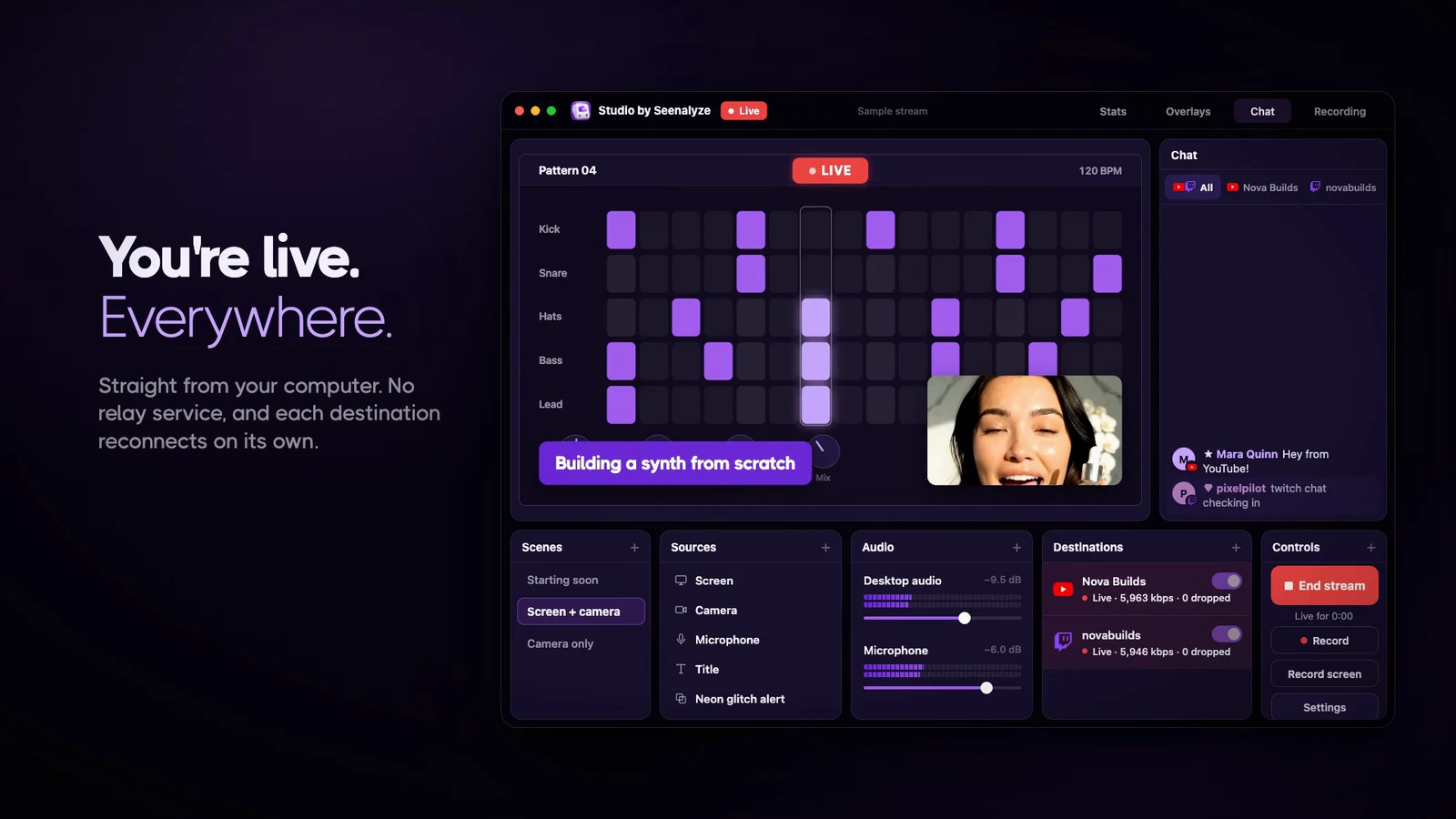
Build your scene, go live on YouTube and Twitch at the same time, and talk to every viewer from one chat.
The film
From an empty scene to live on two platforms. Turn the sound on.
How it works
Choose to stream, record or both, and pick a starting layout. Studio sets up the video for your screen and computer.
Add your screen, camera, microphone, pictures or text, then drag and resize them right on the preview.
Sign in to YouTube and Twitch. Before you go live, Studio checks that your picture and sound are working.
Press Go live once. Every channel starts together, and you can record a copy at the same time.
Features
Stream everywhere
The details
Studio warns you if there's no picture or sound, before anyone sees it.
Starting soon, screen and camera, just chatting. Move between them with smooth transitions.
Screen, windows, camera, microphone, pictures, video, text and web pages.
Keep a local copy in MP4, MOV or MKV, or record without going live.
FAQ
A desktop app for live streaming and recording. You build your scene, go live on YouTube and Twitch at the same time, read both chats in one place, and record or edit your screen.
Yes. Sign in to both, press Go live once, and Studio sends your stream to each channel straight from your computer. You can also use a stream key.
Describe the overlay you want, for example an alert or a lower third, and Studio designs it. You can then ask for changes in your own words. Designing with AI uses your Seenalyze credits.
Only to design overlays with AI. Streaming, recording and editing work without signing in.
Yes. Record a window, an area or the whole screen with your microphone, computer sound and camera. The recording opens in an editor with automatic zooms, cuts and captions, and exports to MP4.
Macs with Apple silicon and 64-bit Windows PCs.

Get Studio
Download Studio, set up your scene in a few minutes, and go live on YouTube and Twitch together.
Mac with Apple silicon or Windows PC (64-bit)
Studio sends your stream to every channel straight from your computer. No extra service in between, and nothing to set up per platform.
One chat
YouTube and Twitch chat arrive in a single feed, so you never miss a question while you're live.
Overlays with AI
Start from a ready-made overlay or describe one in your own words, and Studio designs it for you. Ask for changes the same way.
Record and edit
Record a window, an area or your whole screen with your camera and voice. Studio opens it in a simple editor, ready to polish and share.
Set every level in the mixer and watch the meters move as you speak.
Light and dark themes, color themes and twelve app languages.